Manage Multiple Clients
Last updated: March 18, 20265 min readBeginnerAgency
Agency accounts can manage multiple clients, each with their own domains, consent settings, integrations, and analytics. Here's how to manage your client roster.
1
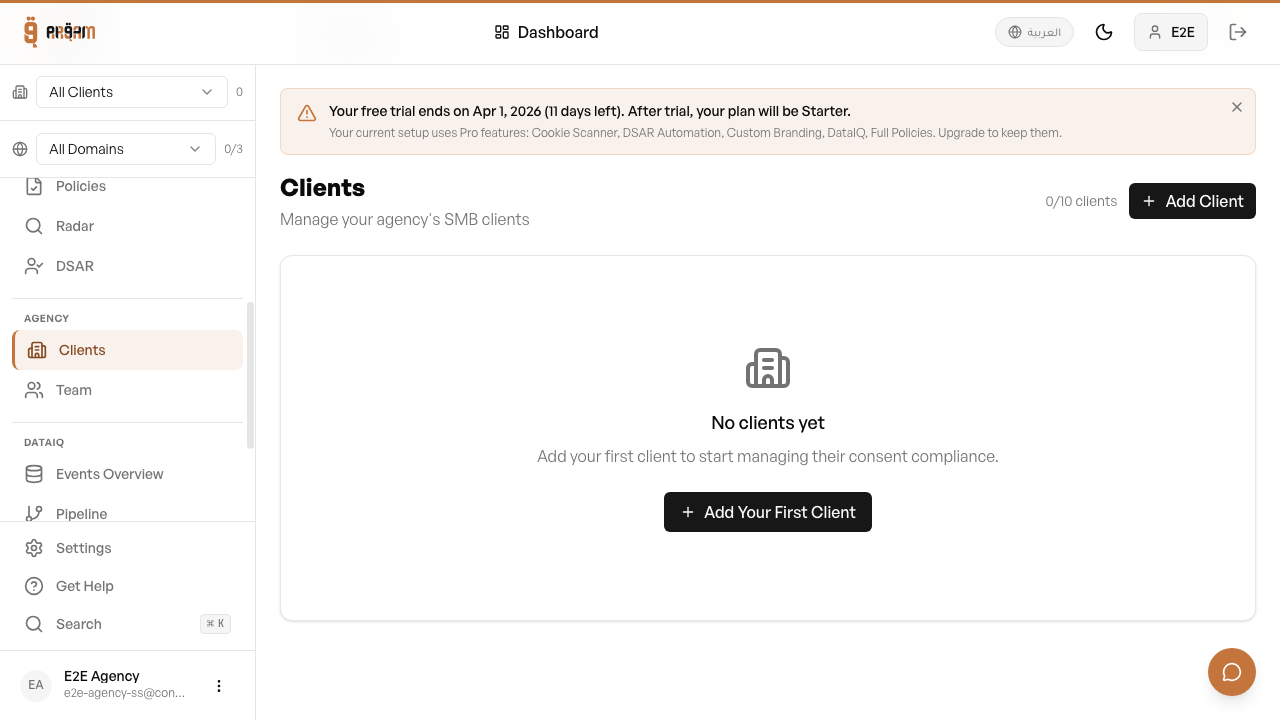
Go to Clients tab
In your agency dashboard, navigate to the Clients tab.
2
Click 'Add Client'
Fill in the client name, domain, and any initial settings.
3
Configure client settings
Set up consent categories, branding, and integrations for this client.
Switching Between Clients
Use the client selector dropdown in the sidebar to switch between clients. When you select a client, the entire dashboard context switches to show that client's data — consent logs, scanner results, analytics, and settings.
Per-Client Settings
- Each client has independent consent categories
- Separate domain verification and scanning
- Independent integrations (each client can have different platforms connected)
- Separate consent logs and analytics
- Per-client routing rules and policies
You can see your current client count vs. the 25-client limit in the Clients tab header. Add extra clients at $15/month each beyond the included 25.
Was this article helpful?